Needle Engine
Needle Engine is a web-first 3D framework built on three.js for building games, configurators, AR/VR experiences, and interactive websites.
Built-in: Rapier Physics | WebXR (incl. iOS) | Multiplayer & VOIP | Blender & Unity Integration
Built on three.js and the glTF standard, Needle Engine delivers flexible, extensible web experiences with built-in collaboration and XR support. Use it standalone with npm or with powerful editor integrations for Unity and Blender.
Quick Links
Changelog | Documentation | Samples | Showcase | API Reference
Getting Started
npm install @needle-tools/engine
Try it now on StackBlitz | Getting Started Guide
Code Examples
Custom Component
import { Behaviour, serializable } from "@needle-tools/engine";
export class MyComponent extends Behaviour {
@serializable()
speed: number = 1;
start() {
console.log("Component started on:", this.gameObject.name);
}
update() {
this.gameObject.rotateY(this.context.time.deltaTime * this.speed);
}
}
Physics with Rapier (built-in)
import { Behaviour, Rigidbody, BoxCollider } from "@needle-tools/engine";
export class PhysicsBox extends Behaviour {
awake() {
// Add a physics body — Rapier is built in, no extra install needed
const rb = this.gameObject.addComponent(Rigidbody);
rb.useGravity = true;
// Add a collider
this.gameObject.addComponent(BoxCollider);
}
}
Multiplayer with @syncField
import { Behaviour, syncField } from "@needle-tools/engine";
export class SyncedCounter extends Behaviour {
// Automatically synced across all connected clients
@syncField()
count: number = 0;
onPointerClick() {
// Reassign to trigger sync (this is required for sync to work)
this.count = this.count + 1;
}
}
Lifecycle Hooks (no component needed)
import { onStart, onUpdate } from "@needle-tools/engine";
onStart((context) => {
console.log("Engine started!");
});
onUpdate((context) => {
// Called every frame
});
Key Features
WebXR & AR — immersive experiences on Android and iOS
- WebXR support including WebXR on iOS
WebXRImageTracking— AR image targets with full tracking lifecycleWebXRPlaneTracking— AR surface detection- Interactive QuickLook for AR on Vision Pro
Scene & Asset Management
SceneSwitcher— load different scenes / hierarchies by URLAssetReference— runtime asset loading by URL- Multi-scene support with dynamic content loading
Physics & Interaction — Built-in Rapier physics engine
Rigidbody,BoxCollider,SphereCollider,MeshCollider— full physics simulationDragControls— click-and-drag 3D objects with zero codeSpatialTrigger— proximity and enter-zone detection
Multiplayer & Networking — real-time collaboration out of the box
SyncedRoom+@syncField()— automatic state synchronizationVoip— built-in WebRTC voice chatPlayerSync— player object sync on join/leaveSyncedCamera— camera sync for observer sessions- Low level networking events for full control
Rendering & Effects
- Advanced PBR rendering with lightmap support
- Post-processing (Bloom, DepthOfField, SSAO, ChromaticAberration, Tonemapping and more)
- Progressive texture and mesh loading with automatic LOD generation
Animation & Media
- Animation state machines and timeline animations
VideoPlayer— full video playback componentAudioSource— 3D spatial audio- Animate anything via KHR_animation_pointer
Framework Integration — works with React, Vue, Svelte, or vanilla JS/TS
Editor Integrations
Needle Engine works standalone with just npm — no editor required. For asset-heavy workflows, use our editor integrations:
Examples
| Preview | Example | Description | Links |
|---|---|---|---|
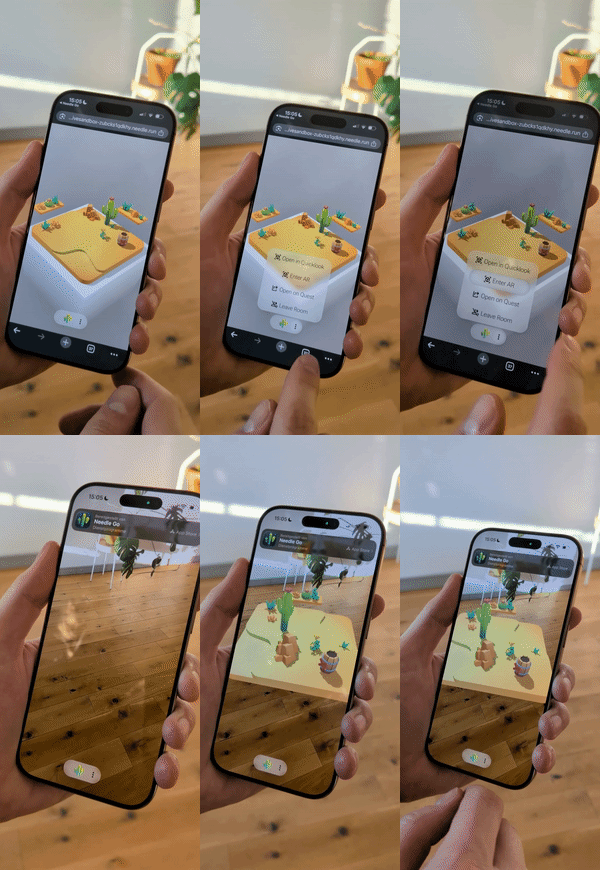 |
Multiuser Cross device experience, Desktop, AR & VR (Sandbox) | Real-time collaborative multiplayer sandbox experience with WebXR on Android and iOS | |
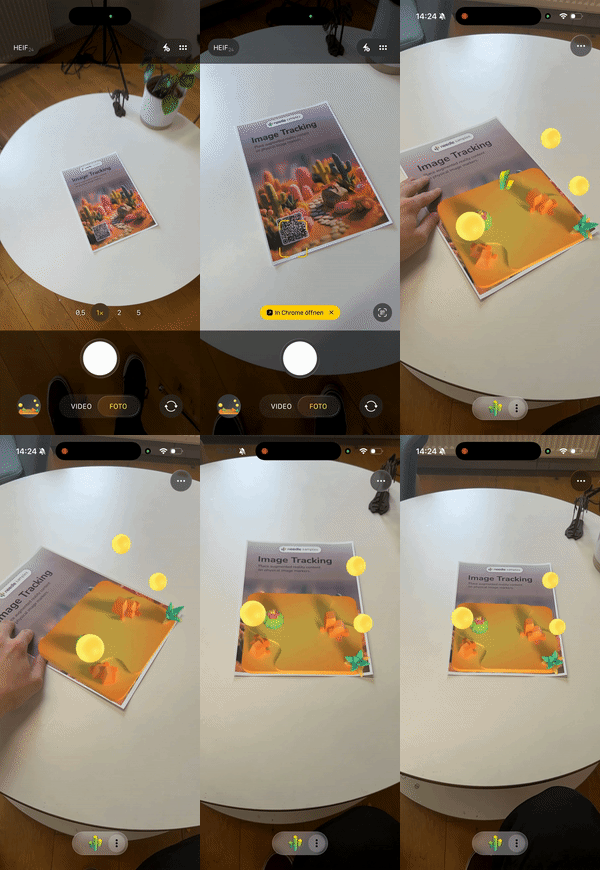 |
Image Tracking AR | AR image tracking example (iOS and Android). See docs | |
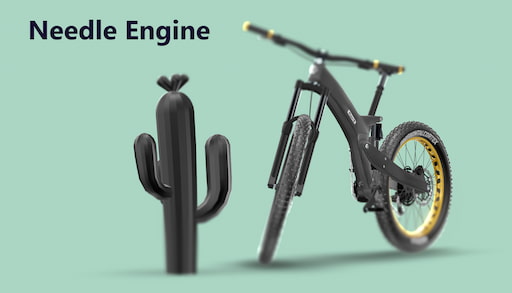 |
Scrollytelling Bike Example | Timeline Animation using ScrollFollow, ViewBox and FocusRect | Project on Github |
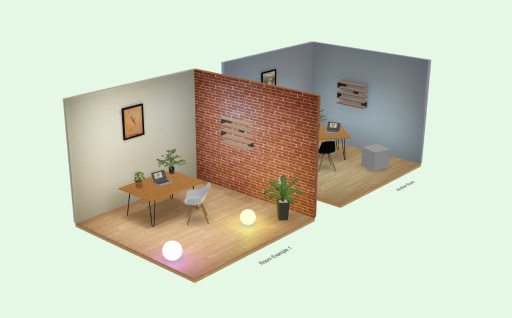 |
See-Through Walls | See-Through component sample | |
 |
Cursor Follow | Cursor Follow sample | |
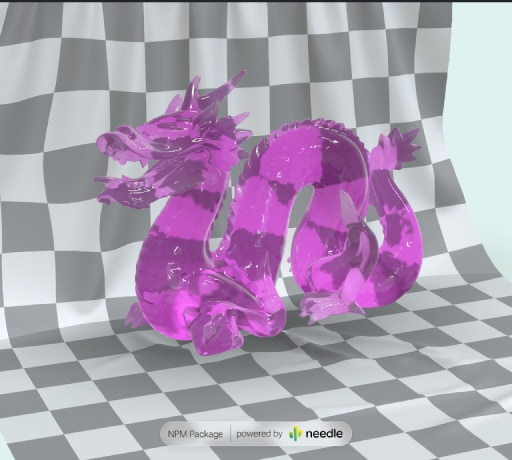 |
Animate Anything | Interactive animation system | Code on Stackblitz • three.js Example |
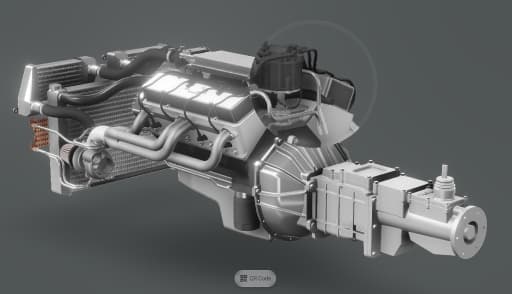 |
Postprocessing Effects | Custom magnifier effect with post-processing | Code on Stackblitz |
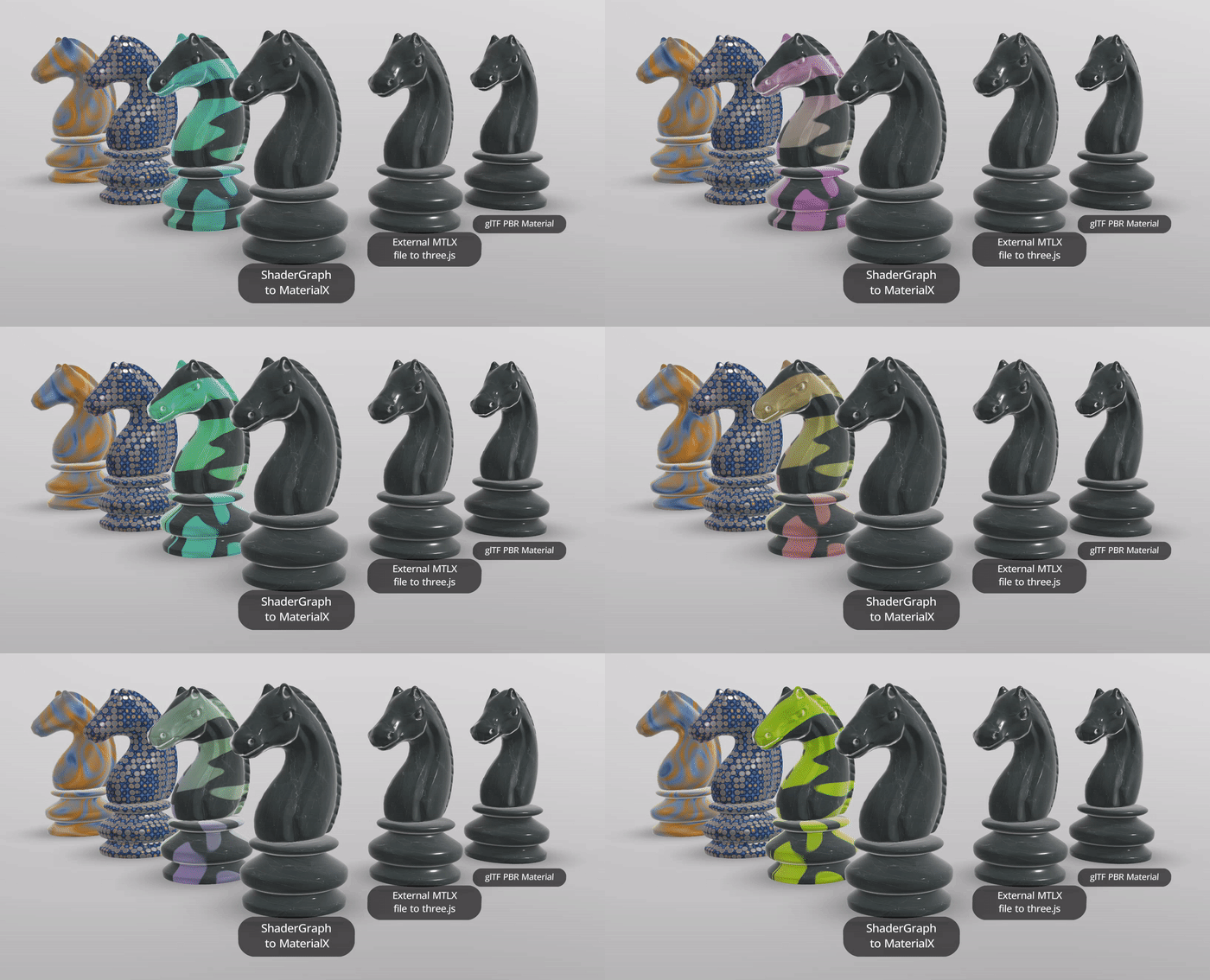 |
Unity ShaderGraph to MaterialX & mtlx materials | Using @needle-tools/materialx | |
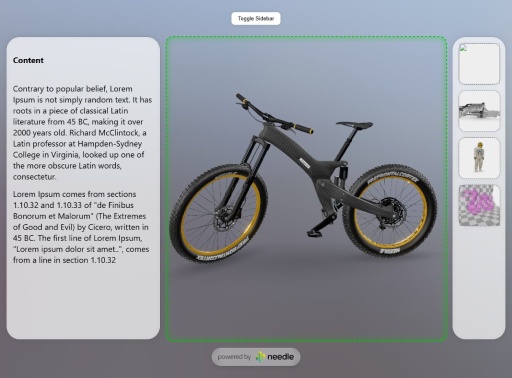 |
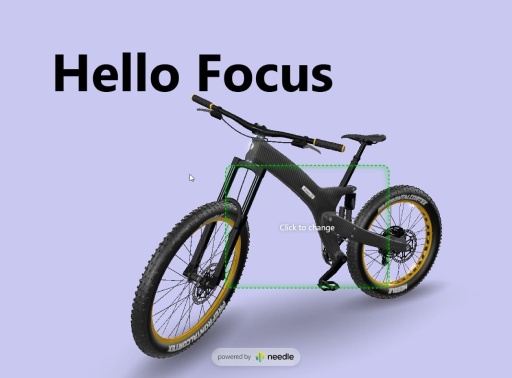
Camera Focus DIV 1 | Responsive layout with camera focus | Code on Stackblitz |
 |
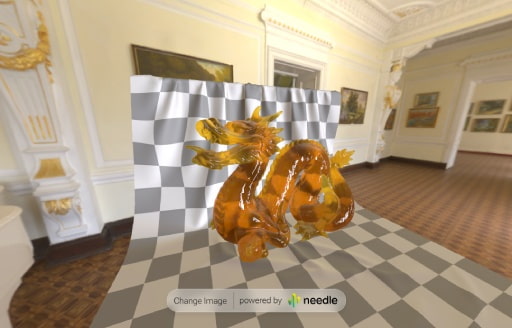
Camera Focus DIV 2 | Click-to-move camera focus example | Code on Stackblitz |
 |
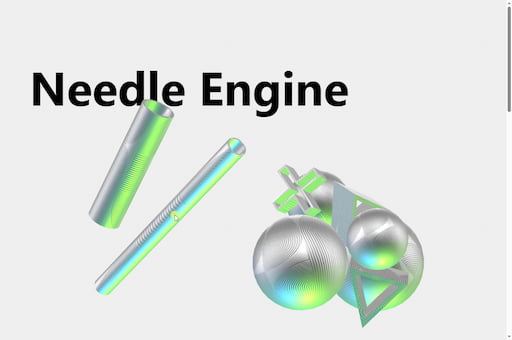
FastHDR Loading | 10x faster than EXR, non-blocking, 95% less GPU memory | Code on Stackblitz • Learn more |
 |
Scrollytelling Example | Scroll, physics and cursor interaction: a playful 3D interactive scrollytelling website | Included in Samples Package |
| AR Restaurant | Interactive AR restaurant experience | Code on Github | |
| Custom Loading Overlay | Wait for LODs with custom loading states | Code on Stackblitz | |
| React Shopping Cart | E-commerce integration with React | Code on Stackblitz | |
👋 More examples on samples.needle.tools, docs.needle.tools and in the Needle Engine Stackblitz Collection
Contact ✒️
🌵 Needle •
Github •
Twitter •
Discord •
Forum •
Youtube
Recent Changes
[5.1.0] - 2026-06-23
⭐ Highlights
Scene Bindings — Fully Typed Scenes
Your glTF and GLB scenes now come with auto-generated TypeScript types. Access nodes, components, and properties with full autocomplete and type checking via ctx.sceneData or the new needle shorthand — no configuration required. Types regenerate automatically whenever your scene files change, and it works with local files, remote URLs, and Needle Cloud assets alike.
const cam = ctx.sceneData.MyScene.MainCamera.$object; // THREE.PerspectiveCamera
const orbit = ctx.sceneData.MyScene.MainCamera.$components.OrbitControls; // typed!
orbit.autoRotate = true;
First-Class Framework Support
Needle Engine now feels at home in any modern web stack. SSR support lets you import the engine in SvelteKit, Next.js, and Nuxt without crashes, JSX type declarations bring full autocomplete to React, Preact, SolidJS, and friends, and the new needle shorthand gives you instant access to the current context from anywhere — components, button handlers, or plain JavaScript.
import { needle } from "@needle-tools/engine";
needle.scene.traverse(obj => { ... }); // access the three.js scene
needle.renderer; // access the WebGLRenderer
Embed Anywhere with <needle-app>
Drop a published Needle Engine app into any web page with a single element — no build setup, custom code, or framework required. It handles cross-origin loading for you and works inside iframes.
<needle-app src="https://your-app.needle.run"></needle-app>
Animation & Timelines from Code (preview)
A new set of builder APIs lets you create animations, animator controllers, and timelines entirely in code, with typed keyframes and inline track definitions. Great for procedural content, runtime-generated sequences, and tooling.
const timeline = TimelineBuilder.create("MyTimeline")
.animationTrack("Walk", animator).clip(walkClip, { duration: 2 })
.activationTrack("FX", vfxObject).activate({ start: 1, duration: 0.5 })
.build();
director.playableAsset = timeline;
DragControls — A Big Upgrade
DragControls received a major overhaul with a new constraint system: keep-scale, two-touch scaling with min/max limits, refined hit regions, and a dedicated screen-space drag mode for AR. Single-touch dragging is now more predictable, and reliability is improved across snapping, side views, and multi-input scenarios.
MaterialX — Faster & Richer
The bundled MaterialX runtime jumps to 1.7.0 with faster environment lighting (new radiance sampling modes and PMREM support), better Three.js integration, and overall performance improvements.
Cleaner Component Lifecycles
A new autoCleanup API and a typed Context.events bus make it easy to write components that tidy up after themselves. Many subscription APIs — input, networking, and XR events — now return an unsubscribe function that pairs perfectly with autoCleanup.
onEnable() {
this.autoCleanup(this.context.input.addEventListener("pointerdown", evt => { ... }));
this.autoCleanup(this.context.connection.beginListen("my-event", data => { ... }));
}
Added
- Scene Bindings — auto-generated, fully typed access to your scenes via
ctx.sceneData/needle.sceneData - SSR support for SvelteKit, Next.js, and Nuxt, plus JSX type declarations for React, Preact, SolidJS and more
needleshorthand for quick access to the current engine context from anywhere<needle-app>— embed a published Needle Engine app in any web page (docs)Context.events— a typed event bus for decoupled component communication:context.events.on("scene-content-changed", e => console.log(e.object));
context.events.emit<{ pts: number }>("scored", { pts: 10 });autoCleanuponBehaviour— register disposables and cleanup tied to the component lifecycle- Builder APIs (preview) —
TimelineBuilder,AnimatorControllerBuilder, andAnimationBuilderfor defining timelines, controllers, and animations in code with typed keyframes and inline tracks DragControls: new constraint system withkeepScale, two-touch scale limits, refined hit regions, a screen-space AR drag mode, andEventListsupportSkybox: newbackground-rotation/environment-rotationattributes andbackground-image-loaded/environment-image-loadedeventsWebXRImageTracking: per-frameimageTrackedevent with typed access to the tracked object, plusresetImage/resetAllImagesto re-arm markers without restarting XR:imageTracking.imageTracked.addEventListener(evt => console.log(evt.object, evt.image));AudioCliptype with standalone playback control,AudioSourcespatial blend and.opussupportcontext.lightsarray andcontext.mainLightgetter for quick access to scene lightingNeedleXRSession.appClipUrl— launch a custom-branded Needle AppClip experience on iOS AR (provide your registeredappclip.needle.tools/x/…URL or experience id) for your own App Clip card title and image- Physics raycast
includeTriggersoption - Unsubscribe functions returned from
Input,Networking, and XR event subscriptions needlePlugins()can now be called without arguments — the Vite command is resolved automatically:export default defineConfig({ plugins: [sveltekit(), needlePlugins()] });
Changed
OrbitControlsnow useslookAtTarget/lockLookAtTarget, with smoother focus and camera transitions- Postprocessing moved to core (
context.postprocessing); tonemapping-only setups skip the extra pass - Timeline track classes renamed for consistency (e.g.
AnimationTrackHandler→TimelineAnimationTrack) GroundProjectionEnv.applyOnAwakenow defaults totrue, matching Unity and Blender
Fixed & Improved
- Major
DragControlsreliability improvements across snap points, AR drag, side views, and multi-input handover - More reliable camera handling (fallback camera,
fitCamera, scene clearing) - More efficient
Skyboxattribute handling and load deduplication - Smoother, more reliable progressive LOD loading and disposal, including texture-only LODs that update correctly with camera distance
AudioSourceon iOS now survives a device lock / audio-session interruption and resumes automaticallySceneSwitcher:?scene=honored for in-scene object references, with prefab preview supportVoIPimprovements including better iOS mic handling and sharedAudioContext- Faster initial loading via improved dependency chunking
- Updated MaterialX runtime to 1.7.0 with faster environment lighting and PMREM support
- General reliability and stability improvements throughout the engine and Vite plugin
[5.1.0-beta.1] - 2026-06-09
Fixed
- Progressive loading: texture LODs no longer get stuck for meshes that only have texture LODs (no mesh LODs); screen coverage is computed unconditionally again so texture LODs update with camera distance
[5.1.0-alpha.9] - 2026-06-04
Added
<needle-app>— embed a published Needle Engine app in any web page (with custom code etc) (docs)
Changed
<needle-app>: improved cross-origin handling andsrcparsingScrollFollow: now works inside an iframe (uses the top window)
Fixed
- iOS audio:
AudioSourceplayback now survives a device lock / audio-session interruption and resumes automatically on unlock SceneSwitcher:?scene=is now honored for scenes referenced as in-sceneObject3Ds; scene preview loading supports prefabs and correct parenting under the SceneSwitcherDragControls: widened the two-pointer scale clamp range and now reads world scale from the matrix columnsEventList: corrected the arguments passed to overridden methodsserializeObject: fixedColor/Euler/ object-reference serialization, andOneEuroFilter.reset()- Prevented a
TypeErrorwhen a scene-data error proxy is coerced to a string
[5.1.0-alpha.7] - 2026-05-29
Highlights:
- Major
DragControlsupgrade — new constraint system with scale limits, refined regions, and a dedicated AR drag mode - Updated MaterialX runtime with faster environment lighting and PMREM support
Added
DragControlsreceived a substantial round of improvements with a new constraint system, including akeepScaleoption, a two-touch scale constraint with min/max limits, refined hit regions, and a dedicated screen-space AR drag modeSkybox: newbackground-rotationandenvironment-rotationHTML attributes, plusbackground-image-loadedandenvironment-image-loadedevents to react to skybox load completionInput: input cancellation support (e.g. when a pointer is disconnected mid-interaction)loadPMREM: auto-detects image format for extensionless URLsAudioSource:.opusclip URLs are now supportedGroundProjectionEnv.applyOnAwakenow defaults totrue, matching Unity and Blender behaviour
Changed
OrbitControls:lockLookAtTargetnow preserves the pointer target when double-clicking to focusPostProcessing: pixelation granularity adapts dynamically to device pixel ratioDragControls: rotation is now limited to two-touch and XR controller input for more predictable single-touch dragging- Hardened internal logging: secrets (API keys, tokens, JWTs, PEM keys, URL credentials, …) are now redacted before logs are written to disk — a defensive measure so log files shared during debugging never leak credentials
Fixed
DragControls: improved reliability across snap points, screen-space AR drag mode, double-click handling,XZPlaneside-view and Y-axis behaviour, multi-input rotation, and touch handover (NE-4418, NE-5413, NE-5887, NE-5891)Camera: improved fallback camera andCameraUtilslifecycle handling, andfitCamerastability when meshes are parented to the target cameraContext.clear()now resetsmainCameraandfallbackCameraso they always point at live cameras after a scene wipeSkybox: more efficient attribute handling — load cycles are deduplicated,background-intensityis honoured, and magic-name skyboxes resolve correctly when attributes are set at mount timeVideoPlayer.isPlayingnow reports streamed sources and file playback independently and correctlyDropListener:loadFromFilenow always resolves- Progressive LOD: more reliable instancing, request scheduling, vertex count handling, texture LOD tracking, and disposal lifecycle
VoIP: better mic stream handling on iOS, accuratesetMutedfor incoming streams, clamped volume, sharedAudioContext, and coalesced concurrentconnect()calls- Custom model loaders: MIME type check moved earlier so custom loaders reliably take over
- General reliability improvements across webmanifest handling, dependency watcher, DTS generation, AI helper install, and file logger
MaterialX
- Updated bundled MaterialX runtime to 1.7.0 with faster environment lighting (new radiance sampling modes, PMREM support), better integration with Three.js (texture sampling, environment rotation, alpha modes), and overall performance improvements