Needle Engine
Needle Engine is a web engine for high quality 3D applications with performance in mind.
Built on three.js and the glTF standard, Needle Engine delivers flexible, extensible web experiences with built-in collaboration and XR support.
Quick Links
🏓 Changelog • 📑 Documentation • 🧠 Sample Scenes • 💎 Showcase
Key Features
🎮 Development Experience
- Component system with easy custom component creation
- Unity and Blender integrations for familiar workflows
- Multi-scene support with dynamic content loading
🌐 Web & XR Ready
- WebXR support for immersive experiences
- iOS QuickLook support for interactive AR
- Built-in networking and collaboration
⚡ Performance Optimized
- Progressive texture and mesh loading
- Automatic LOD generation for textures and meshes
- Advanced PBR rendering with lightmap support
🎬 Animation & Effects
- Animation state machines and timeline animations
- Physics simulation
- Post-processing effects
- Animate anything with ease
Editor Integrations
Powerful integrations for Unity and Blender allow artists and developers to collaborate and manage web applications inside battle-tested 3d editors. Needle Engine integrations allow you to use editor features for exporting models, author materials, animate and sequence animations, bake lightmaps and more.
Getting Started
Quick Start with npm:
npm install @needle-tools/engine
Or use our Editor Integrations: Follow the Getting Started Guide to download and install Needle Engine with Unity or Blender.
Explore Examples: Try our interactive samples to see what's possible ⚡
Available under commercial and educational licenses
Examples
| Preview | Example | Description | Links |
|---|---|---|---|
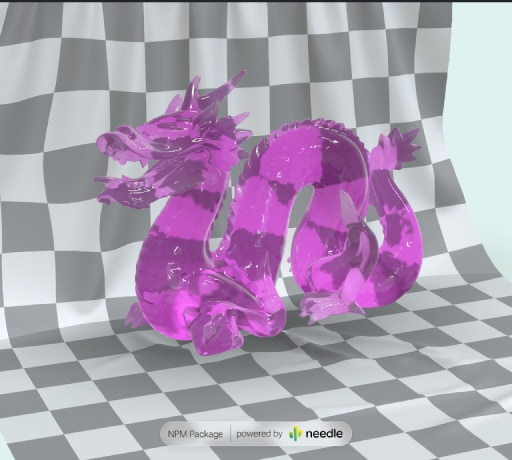 |
Animate Anything | Interactive animation system | Code on Stackblitz • three.js Example |
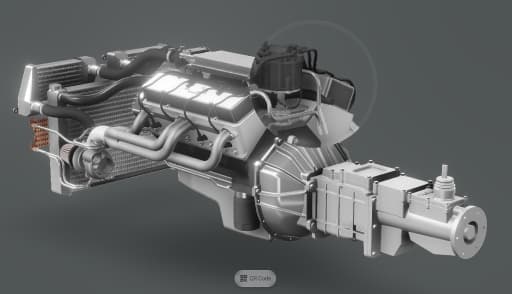 |
Postprocessing Effects | Custom magnifier effect with post-processing | Code on Stackblitz |
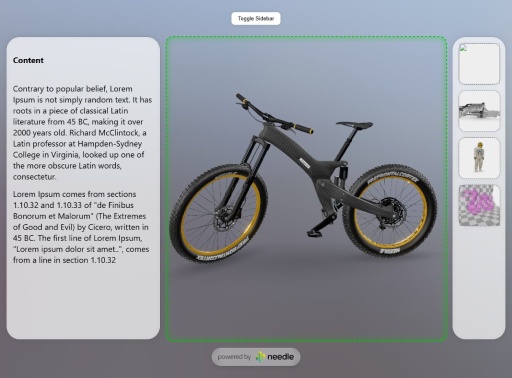 |
Camera Focus DIV 1 | Responsive layout with camera focus | Code on Stackblitz |
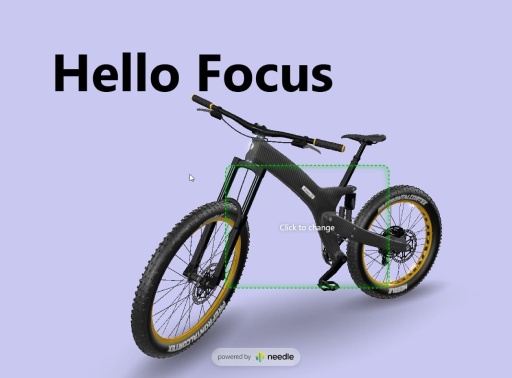 |
Camera Focus DIV 2 | Click-to-move camera focus example | Code on Stackblitz |
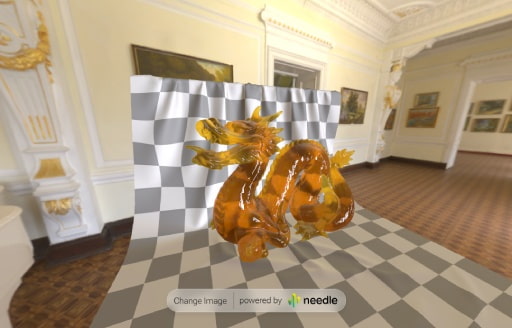 |
FastHDR Loading | 10x faster than EXR, non-blocking, 95% less GPU memory | Code on Stackblitz • Learn more |
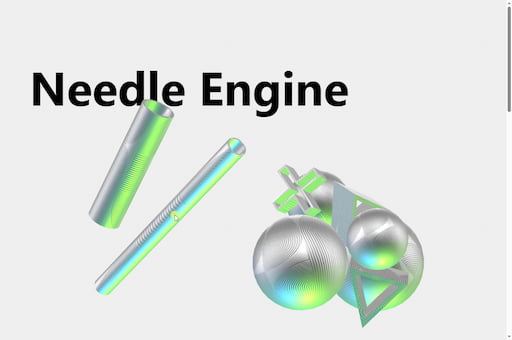 |
Scrollytelling Example | Scroll, physics and cursor interaction: a playful 3D interactive scrollytelling website | Included in Samples Package |
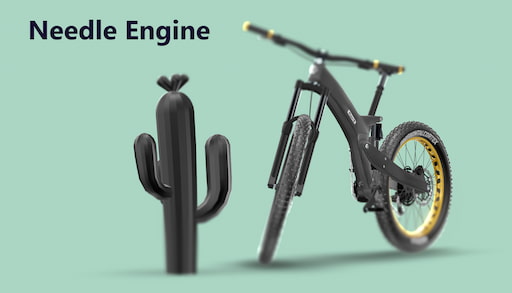 |
Scrollytelling Bike Example | Timeline Animation using ScrollFollow, ViewBox and FocusRect | Project on Github |
| AR Restaurant | Interactive AR restaurant experience | Code on Github | |
| Custom Loading Overlay | Wait for LODs with custom loading states | Code on Stackblitz | |
| React Shopping Cart | E-commerce integration with React | Code on Stackblitz | |
👋 More examples on samples.needle.tools, docs.needle.tools and in the Needle Engine Stackblitz Collection
Contact ✒️
🌵 Needle •
Github •
Twitter •
Discord •
Forum •
Youtube
Recent Changes
[4.11.0] - 2025-10-15
- NEW: SeeThrough component. With this component you can easily fade-out objects between the camera and a reference point in the scene. See the See-Through sample to see it in action
- NEW: Droplistener sample
- Add: CursorFollow option to follow cursor on the full page, even when a user moves their mouse outside of the
<needle-engine>element. - Add: CursorFollow
snapToSurfaceoption to automatically snap the object to the surface below the cursor. - Add: Object3D
raycastAllowedproperty to disable raycasting on specific objects (e.g. for performance reasons or to ignore invisible helper objects) - Add: OrbitControls
targetBoundsproperty which can be used to constrain the OrbitControls target within a defined area in the scene. A Object3D can be assigned to the property. The position and scale of this object will be used. - Add: Experimental - Vite plugin to generate
needle-app.jswhich encapsulates the whole website into a single web component. Theneedle-app.jsfile will be emitted next to index.html and can be used to directly embed the website and 3D assets into another website by importing<url>/needle-app.jsand then using the<needle-app></needle-app>web component. - Add: Object3D
contains(otherObject: Object3D)method to check if an object is a child of another object in the scene graph - Fix: three nodes update camera for TSL
- Fix: Renderer lightmaps are now updating
sharedMaterials - Fix:
Gizmos.DrawWireMeshmatrix - Fix: Image UI color was sometimes not correctly calculated for Button color states when used with the CanvasGroup component
- Fix: ScrollMarker issue
- Improved JSDoc documentation
[4.10.4] - 2025-10-08
- Update: three-animation-pointer dependency to 1.0.4 to support KHR_node_visibility extension
- Documentation improvements
[4.10.3] - 2025-10-06
Needle Engine
- Add:
ScrollFollowtimeline markers can now be defined in HTML only and don't require markers to be present in the Timeline anymore. This means any timeline animation can now be mapped to HTML content by annotating the HTML elements. For example<div data-timeline-marker="2.5">will define that the timeline should reach the time 2.5 seconds when this element becomes visible in the viewport. The bike-scroll-follow example on Github will be updated to use this new feature soon (example index.html).
[4.10.1] - 2025-09-30
- Change: ViewBox
referenceFieldOfViewcan now set to-1to automatically take the camera's field of view at runtime - Fix: ViewBox evaluation order is now hierarchy-independent (Previously OrbitControls panning might be applied after ViewBox calculations if the ViewBox component was on a parent object)